Alipay Not Working in Guangzhou
When the red screen pops up at a Guangzhou cashier, three things can be to blame — and only one is actually Alipay. A foreign card can be bound to Alipay, accepted at counters across the same city, and still refuse to go through on a single noodle order. The way to recover from Alipay not working in Guangzhou is to identify which of those three failure types is on screen, then switch to a Guangzhou backup that does not depend on your phone. This guide walks through that exact decision in the order it happens at the counter: which failure you have, what you set up before the trip, the four steps to take when the scan fails, and the Guangzhou-only options (Metro, airport, English help) that get you moving.
Quick Facts
📱 Complete Visitor Payment Overview: Looking for comprehensive advice on digital payments, transaction fees, and ATM options in China? Read our full feature on Alipay for Foreigners China Guide.
3 Reasons Alipay Fails at Guangzhou Cashiers
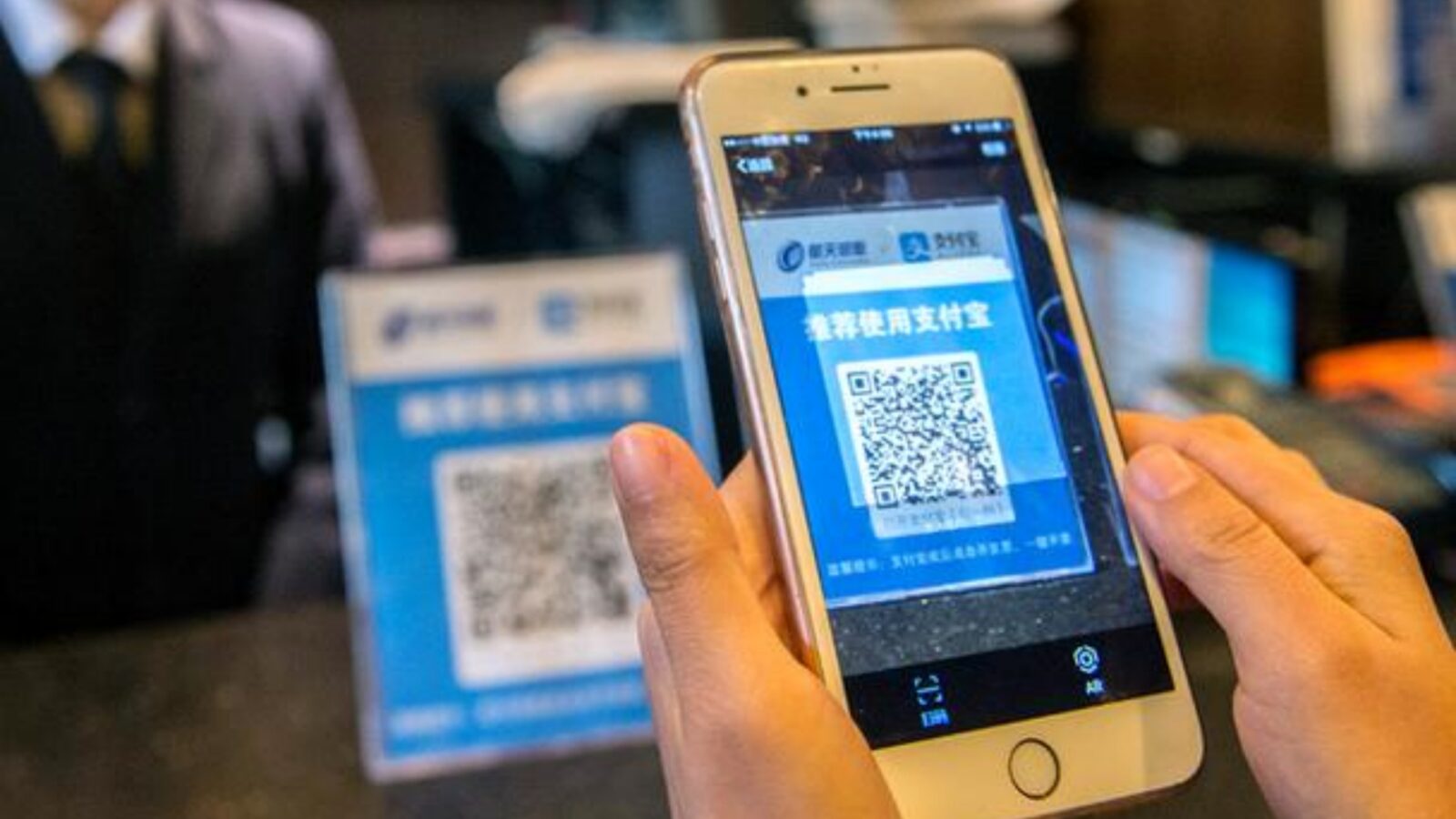
Alipay Qr Payment Scan At Store Canton Cashier
A working foreign card is no guarantee that the next scan will go through. In Guangzhou, the same red screen can come from three very different places — and the fix for each one is different. Spotting the right reason in the first ten seconds is what turns an awkward moment into a minor detour.
When the QR Is a Transfer, Not a Payment
The Alipay foreign-card service is built for in-store merchant payments. It explicitly does not cover personal transfers, which is a different rail inside the same app. When the screen flips to a transfer flow — usually because the cashier pasted a personal code instead of a merchant code — the foreign card will refuse to load no matter how many times you retry.
Look at the screen, not the sticker on the counter. The Guangzhou payment handbook lists both "Present and pay" and "Scan and pay" as valid Alipay directions, but neither tells you whether the QR itself is merchant or personal. Ask the cashier directly, or let them scan your payment code instead. Switching the scan direction does not change the underlying transaction type, so it is a workaround for an equipment issue, not a way around the foreign-card restriction.
When Your Bank (Not Alipay) Blocks the Charge
Foreign-card failures on Alipay can also come from the issuing bank's own per-transaction and daily limits, or from a fraud filter that has not been told you are travelling. Alipay's own rules are only one of the two parties deciding whether the charge goes through. The app may simply display a generic decline that hides which side refused.
Check your bank's app for an authorization request, text messages for an "international transaction declined" notice, and your bank's 24-hour support line. Some banks default to blocking any first-time CNY charge over a small amount, and a five-minute call is usually enough to unlock the next try. Do not assume the problem is Alipay just because the error screen appeared inside Alipay.
When Alipay Pops Up for Extra Verification
Alipay can ask for an extra passport or card-credential step in the middle of a checkout, even on a card that has worked before. The app prompts you based on its own risk rules, which are not the same as the older 2021 verification wording and can change without notice. Treating the prompt as optional is a common mistake: until the prompt is satisfied, the charge does not go through.
Stay on a stable Wi-Fi connection, complete whichever page Alipay shows next, and re-enter only the data it actually asks for. If you are on roaming data, switch networks before retrying. The screen usually returns to the merchant's payment code once verification clears.
💳 Initial App Configuration: Want to make sure your card is bound correctly before landing in China? Follow our step-by-step Alipay Setup Guide.
Pre-Arrival Payment Checklist for Guangzhou
Most Alipay not working in Guangzhou moments can be softened by a short list of steps done before the flight lands. None of these is a guarantee, and the order matters: phone first, then bank, then a second wallet.
Confirm Phone, Region, and App Language
The Guangzhou government handbook for foreign visitors confirms that overseas mobile numbers can be used with the major Chinese payment apps, including Alipay. What it does not confirm is that every merchant mini-program or delivery service will accept the same overseas number for SMS verification. Make sure your SIM can receive text messages while roaming, set the Alipay interface to English, and double-check that the app region is set to China before you rely on it at a small restaurant.
Tell Your Bank You Will Pay in China
Call the number on the back of your card and mention China, Alipay or WeChat Pay, and the dates of your trip. Ask for international online purchases to be turned on and confirm the per-transaction and daily ceilings on the China side. Without that one call, a perfectly bound card can still bounce on a ¥50 bowl of noodles. Save the confirmation reference in case you need it later.
Set Up a Second App and a Physical Card
Carry a backup even if you expect Alipay to work for the whole trip. Tencent's 2026 announcement offers a 90-day, up to ¥1,000 per day international-card fee waiver for eligible new WeChat Pay users, which is a useful safety net at the same cashier. A physical Visa, Mastercard, JCB, or AMEX in your wallet — looked at by the cashier for the matching network logo and confirmed with a verbal "Do you accept this card?" — covers the stores that have never opened a mobile QR.
🌐 Alternative Payment Methods: Want to know how to add funds or manage mobile balances? Check out our complete guide on How to Top Up Money to Alipay.
4 Steps When Your Alipay Scan Fails in Guangzhou
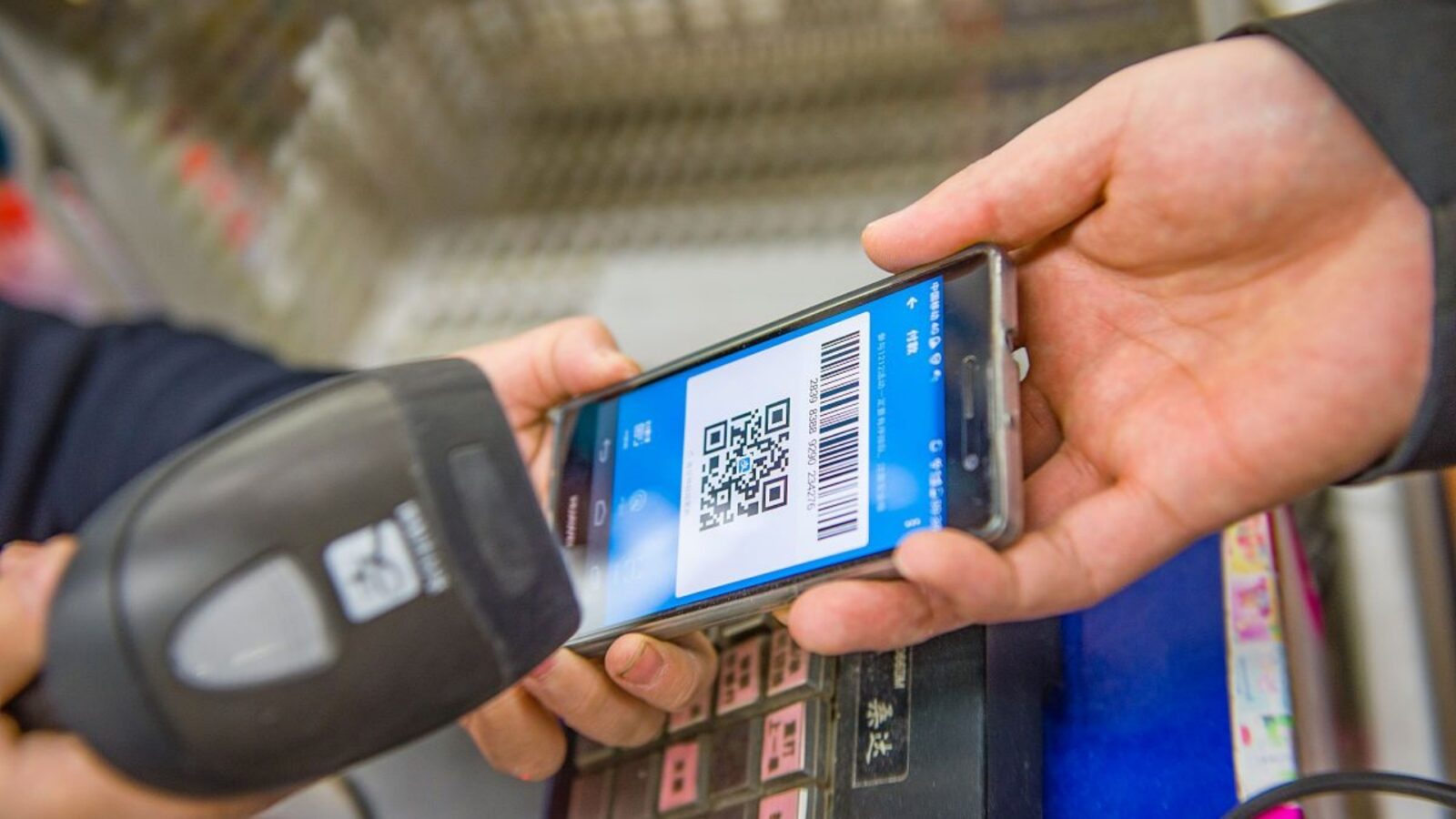
Cashier Scanning Alipay Payment QR Code At Retail Checkout
If you are reading this at the counter with a red screen in front of you, work through these four steps in order. Each one takes a few seconds, and most readers will recover within the first three — even when Alipay not working in Guangzhou has just left a line of tourists staring at you.
Step 1 — Screenshot the Error Message
Take a screenshot of the screen and the merchant's order number, then open Alipay and check your transaction history for any pending or duplicated charges. Do not retry the same card on the same QR more than once or twice — every retry can leave a phantom hold on your statement. If you see a charge you did not intend, take the screenshot to the cashier before paying any other way.
Step 2 & 3 — Judge Type and Complete Verification
Look at the screen and decide which transaction type is active. If the app is showing a personal-transfer field, send button, or a username instead of a merchant name, the QR is for a transfer. Walk away from that line and find a merchant code, or have the cashier scan your Alipay payment code instead. If Alipay is asking for a passport photo or a card-credential page instead, finish that page on the spot. The old 2021 wording and the current prompt wording are not identical — only the current prompt decides whether the charge can proceed.
Step 4 — Switch to WeChat, Card, Cash, or Reverse QR
If the Alipay flow is closed, the cashier is usually happy to take another method at the same till. Use the table below to choose the next move based on what is in front of you.
English phrases you can use at the counter:
- Do you accept foreign cards?
- Do you accept Visa / Mastercard?
- Could you scan my code instead?
- Could I pay cash, please?
- My phone payment isn't going through — is there another way?
Guangzhou Backups: Metro, Airport, English Hotline
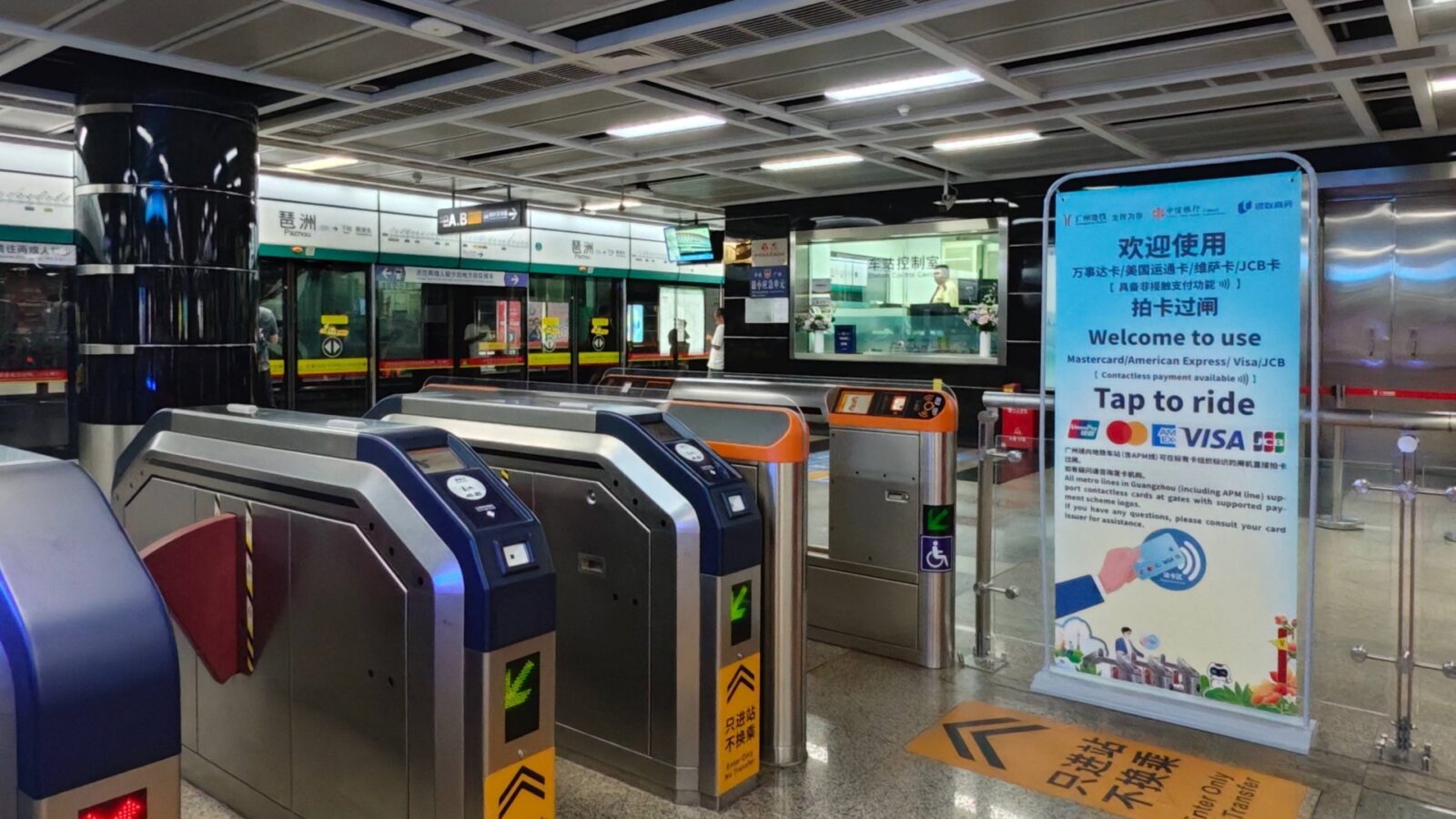
Guangzhou Metro Turnstiles With International Contactless Card Tap-To-Ride Sign
Guangzhou offers three practical, location-specific ways to keep moving when Alipay not working in Guangzhou has cut off your main payment path, the phone is dead, the bank has blocked the charge, and the merchant has no fallback.
Tap a Card to Ride Guangzhou Metro
Since October 2025, Guangzhou Metro accepts contactless tap-to-ride from Mastercard, American Express, Visa, and JCB cards. Your card needs the contactless symbol; you tap it on the designated reader at the turnstile, no app required. This is the cleanest Guangzhou-specific backup for transport, but it is only for the metro — it does not extend to buses, ride-hailing, or mobile wallets.
Visit the Baiyun Airport Service Desk
Guangzhou Baiyun International Airport (CAN) operates a foreigner-services desk in Terminal 2's first-floor International Arrivals hall, near the international flight exit. A 2026 industry report also lists a parallel desk in Terminal 3. The staff can help with payment-app setup, language interpretation, and pointing you to in-airport services. They cannot unlock a bank-blocked charge or reverse an Alipay risk-control decision on your behalf.
Call Alipay's English Hotline (+86-571 2688 6000)
The 2024 Guangzhou payment handbook lists +86-571 2688 6000 as Alipay's English service line. It is the publicly listed number, not a tested-in-real-time hotline. Inside the app, "Help" or "Customer Service" is the more current entry point and is worth trying first when you have a working connection. Use the phone line as a written option.
Edge Cases: Transfers, Silent Bank Declines, Total Failures
Three situations look like Alipay not working in Guangzhou but actually trace back to platform rules, bank rules, or store policy. Recognizing each one saves you from a wrong next move.
Sending Money to a Friend (Blocked by Foreign-Card Policy)
The Alipay foreign-card service is explicitly limited to in-store merchant consumption, so even a small transfer to another Alipay user will not go through with a Visa, Mastercard, JCB, or AMEX. If the screen flips to "Transfer" or "Send to friend" at a Guangzhou cashier, walk away from that code and find a merchant code. Switching to another foreign card will not help here — the limit is on the transaction type, not the card.
Silent Bank Declines (No Alipay Error Shown)
Sometimes the charge fails without any error on the Alipay screen. This usually means the issuing bank's fraud system rejected it behind the scenes, or a per-day ceiling was hit without Alipay knowing about it. Check the bank's app or SMS for a declined transaction notice; a quick call to the number on the back of the card is usually enough to whitelist CNY charges for the rest of the trip. Do not assume a silent failure is a real account problem — it almost never is.
When Mobile Pay, Card, and Cash All Get Refused
The most common reason a cashier refuses every method is not that the methods themselves failed, but that the merchant's terminal, network, or business type does not support them. If you have hit a hard refusal on Alipay, WeChat Pay, the physical card, and cash, leave the line politely, note the merchant name and location, and try the next place. If you are still inside Baiyun Airport, head to the T2 service desk; if you have already left, the Alipay hotline is your written option for in-app issues, and your bank's hotline handles anything from the bank side.
Frequently Asked Questions
Q: Alipay not working in Guangzhou — is it always Alipay's fault?
No. Three things are usually involved: the transaction type (consumer payment vs personal transfer), your issuing bank (per-transaction and daily limits), and Alipay's own identity-verification rules. The on-screen error text and the card-network name are usually enough to tell which one is refusing.
Q: Can I just try a different foreign card?
You can, but if the failure is coming from the issuing bank's rules or from the transaction being a transfer rather than a merchant payment, the next card will fail for the same reason. Follow the four-step counter routine in the order above before reaching for another card.
Q: What is the English phone number for Alipay while I am in Guangzhou?
The 2024 Guangzhou payment handbook lists +86-571 2688 6000. The phone line is a published number from an older handbook, so treat it as a written option; the live "Help" or "Customer Service" entry inside the Alipay app is the more current route and worth trying first.
Q: Can I still ride Guangzhou Metro if Alipay isn't working?
Yes. Guangzhou Metro accepts contactless tap-to-ride on Mastercard, American Express, Visa, and JCB cards. Tap the card on the contactless reader at the turnstile; the card needs the contactless icon and does not depend on your phone.
Q: Where can I get in-person help when Alipay is not working in Guangzhou and I just landed at Baiyun Airport?
There is a foreigner-services desk on the first floor of Terminal 2's International Arrivals hall at Guangzhou Baiyun International Airport (CAN). A 2026 industry report also lists a parallel desk in Terminal 3. T3's exact floor and door number were not confirmed; check the airport signage after you land.
Q: Is WeChat Pay cheaper than Alipay for a first-time user in Guangzhou?
For eligible new WeChat Pay users, Tencent's 2026 announcement offers a 90-day, up to ¥1,000 per day international-card fee waiver starting from the first qualifying transaction. The waiver does not extend to Alipay and does not waive your bank's own charges. Always check the eligibility wording on the payment screen before relying on the waiver.
Q: What if the cashier refuses cash and no card works in Guangzhou?
Step out of the line, write down the merchant name and location, and try the next shop. If you are still inside Baiyun Airport, head to the T2 service desk in the International Arrivals hall; if you have already left, the Alipay English hotline (+86-571 2688 6000) is the written option for in-app problems and your bank's hotline is the written option for anything from the bank side. Nothing in this guide guarantees the issue will be resolved in the moment.
Q: I just landed and realized my foreign card won't link to Alipay — what now?
Three things work without your Alipay account: tap-to-ride on Guangzhou Metro with a contactless Visa, Mastercard, JCB, or AMEX; withdraw RMB cash at an ATM that carries your card network; and ask the hotel front desk or nearby convenience store whether they take WeChat Pay on the same foreign card. If those do not cover your immediate need, run through the four-step counter routine once you reach a cashier.